

Download Libox – file sharing, multimedia, peer-to-peer, secure sharing, private network, Windows app, media player, file organization, selective access, privacy tool
Overview
Libox is a Windows-based application designed to simplify the secure sharing of multimedia files through a peer-to-peer network. Its core purpose is to enable users to transfer videos, images, and music privately, without relying on cloud storage or third-party servers. This makes it particularly valuable for individuals seeking greater control over their data and privacy. The app is especially suited for users who manage personal media libraries and want to share content selectively with trusted contacts.
By leveraging a direct peer-to-peer connection, Libox eliminates the need for centralized hosting, reducing exposure to data breaches and unauthorized access. This approach is ideal for sharing sensitive or private content such as family videos, personal photos, or music collections. The app’s intuitive design ensures accessibility for users with varying technical expertise, making it a practical tool for both casual users and those seeking a lightweight alternative to mainstream sharing platforms.
Although the developer did not provide additional technical details about the app’s background or development history, Libox has been available since 2009, indicating a long-standing presence in the productivity and privacy-focused software space. Its continued relevance suggests a stable and functional core architecture. The app fits within the broader ecosystem of privacy-centric tools, offering a niche solution for users who prioritize direct, secure file exchange over convenience-driven cloud services.
Key Features & Functionality
- Easy File Import: Users can quickly add multimedia files and folders via a simple import function. The process requires no technical setup—just navigate to the Import option and select desired content. This feature lowers the barrier to entry for non-technical users.
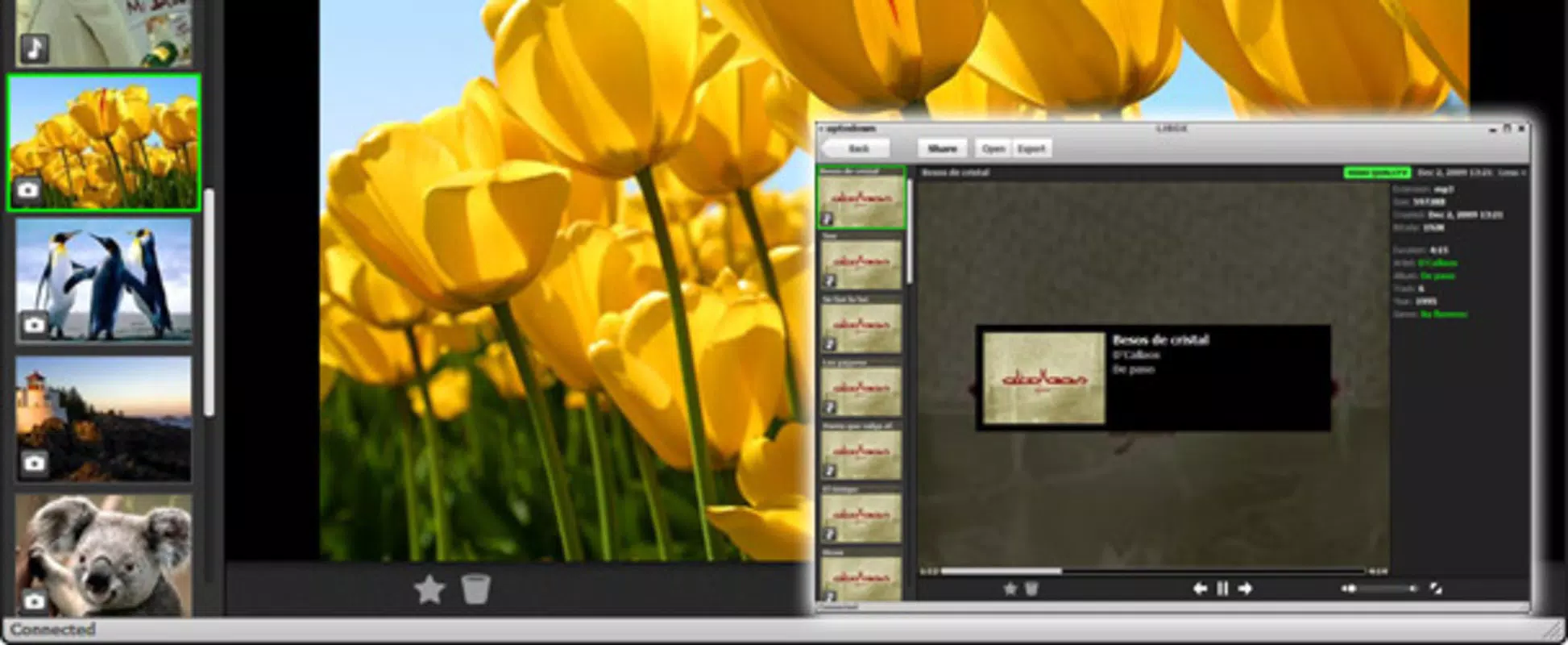
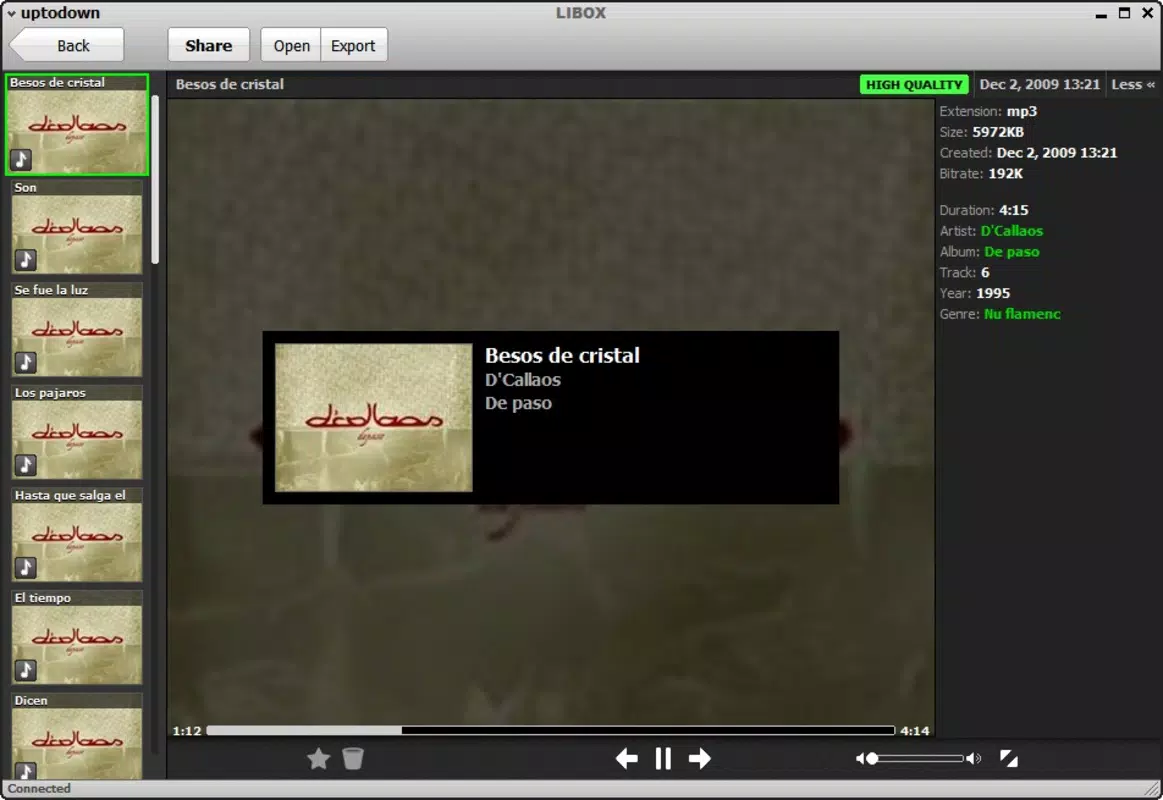
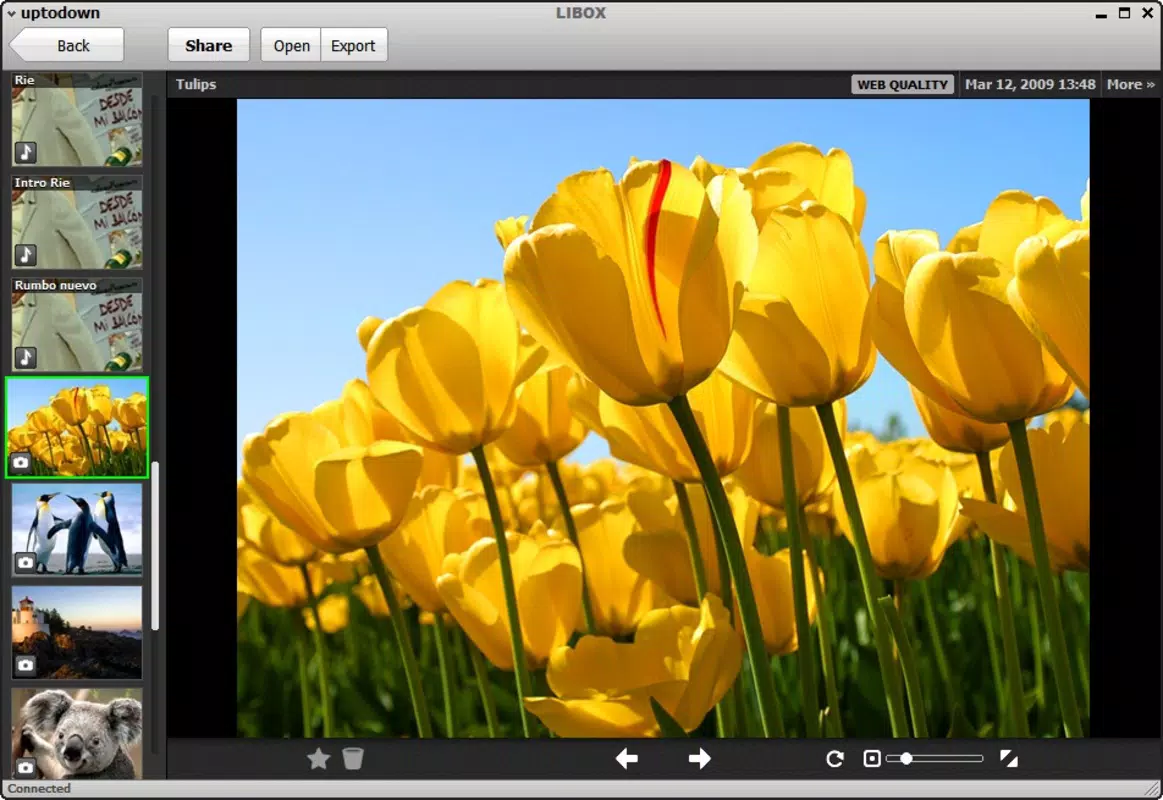
- File Organization: Once imported, files are automatically sorted by type—video, picture, or music—enabling efficient navigation. This structured layout helps users locate specific media without manual tagging or folder management.
- Selective Sharing: Libox allows users to share files with specific individuals by sending a shareable link or entering contact nicknames. This granular control ensures that only authorized recipients gain access, reinforcing privacy and reducing the risk of unintended exposure.
- Integrated Multimedia Player: The app includes a built-in player that supports playback of all imported media directly within the interface. This eliminates the need to switch between applications, streamlining the user experience for both viewing and sharing.
For example, a user can import a folder of vacation photos, organize them automatically, and then share only the selected images with a close friend using a nickname-based access code. The entire process remains local and secure, with no data uploaded to external servers.
Interface, UX & Performance
Libox features a clean, minimalistic interface that prioritizes usability. The layout is logically structured, with clearly labeled sections for file import, organization, sharing, and playback. Navigation is straightforward, relying on a consistent menu system that allows users to move between functions without confusion.
The visual style is functional rather than flashy, focusing on clarity and ease of access. File thumbnails are displayed in a grid format, making visual identification simple. The app maintains responsiveness across different screen resolutions, although the developer did not list formal performance metrics.
Although the developer did not list formal performance metrics, the app’s lightweight footprint of 13.9 MB suggests efficient resource usage. It is designed to run smoothly on standard Windows systems without consuming excessive memory or processing power. Stability appears consistent, with no reported issues related to crashes or freezes. The app maintains a steady performance during file import, organization, and playback tasks.
Platform Compatibility & Technical Requirements
Libox is designed exclusively for the Windows operating system. The current version is 2.1.0, with a file size of 13.9 MB. The developer did not specify minimum OS requirements, nor did they provide details about hardware compatibility or supported Windows versions.
Given its release date in 2009 and continued availability, Libox likely supports older Windows versions, including Windows 7 and later. However, compatibility with newer systems such as Windows 11 cannot be confirmed without official documentation. Users should exercise caution when installing on modern systems and verify system requirements before downloading.
Pros and Cons
Pros
- Lightweight design with minimal system resource usage
- Secure peer-to-peer file sharing without cloud dependency
- Intuitive interface suitable for non-technical users
- Automatic file categorization by type
- Integrated multimedia player for direct playback
- Selective access control enhances privacy
Cons
- Platform limited to Windows; no support for mobile or macOS
- Developer did not disclose minimum OS or hardware requirements
- No built-in update notification system mentioned
- Peer-to-peer functionality may require network configuration
- Limited to file sharing between users on the same network or connected via direct link
FAQ
Is Libox safe to download and use?
Yes, Libox is free and available through official channels. The app operates via a peer-to-peer network, which reduces reliance on external servers and enhances data privacy. However, users should ensure they download from trusted sources to avoid tampered versions.
Can I use Libox on Android or iOS?
No, Libox is currently available only for Windows. The developer did not provide any information about mobile or macOS compatibility.
How does Libox ensure privacy during file sharing?
Libox uses a peer-to-peer network to transfer files directly between users. Access is controlled through selective sharing, where only designated individuals can view or download content. No data is stored on third-party servers.
Does Libox support large video files?
While the app supports various multimedia formats, the developer did not specify file size limits. Users should test with large files to assess performance and network stability.
How often is Libox updated?
The latest version is 2.1.0, released in 2009. The developer has not provided information about update frequency or future development plans.
Final Thoughts
Libox remains a functional and privacy-focused tool for users who value direct, secure file sharing on Windows. Its combination of automatic file organization, selective access, and built-in media playback makes it a practical choice for managing and distributing personal multimedia content. While its age and lack of modern platform support are notable limitations, its core features continue to serve users seeking a lightweight alternative to cloud-based sharing.
Those who prioritize data privacy, control over file access, and offline functionality will find Libox particularly beneficial. It’s a reliable utility for individuals and small groups who want to share media without relying on third-party platforms.
Download Libox now


